The new MELAtherm 20 in XXL: Discover now >

|
    • Unbenannt-1Best Sellers
    • Autoclave Tile
      • premium-klassePremium Class
      • Prime LinePrime Line (Class B)
      • Pro Line Product picturePro Line (Class B)
      • MicrosoftTeams-image (1196)-minPro Line (Class S)
      • 150 2Vacuclave 105 / 305
      • Vacuclave 550 Menu ElementVacuclave 550
      • Grossautoklaven-SystemloesungCliniclave 45 Series
      • 24-BL-StoererVacuklav 24 BL+
      • MELAquick ProduktfotoMELAquick Series
      • MELAtronic ProduktfotoMELAtronic Series
      • Zubehör Careclave ProduktfotoAccessories & components for autoclaves
    • Grossautoklaven-Systemloesung
      • Cliniclave 45 Produktfoto für Kaegorie MenuCliniclave 45
      • Cliniclave 45 M ProduktfotoCliniclave 45 M
      • Cliniclave 45 D ProduktfotoCliniclave 45 D
      • Cliniclave 45 MD ProduktfotoCliniclave 45 MD
      • Vacuclave 550 Menu ElementVacuclave 550
      • Großautoklaven Zubehör ProduktfotoAccessories & components for large autoclaves
    • 150 2
      • 150-ohne 1Vacuclave 105
      • 350-ohne 1Vacuclave 305
      • MELAquick ProduktfotoMELAquick Series
      • MELAtronic ProduktfotoMELAtronic Series
    • mt20-gross
      • mt20-grossMELAtherm 20
      • MT10EVO_Produkt_geschlossenMELAtherm 10 Evolution
      • Körbe und Adapter ProduktfotoLoading patterns
      • Collage-Korb 3-minBaskets & Adapters
      • MEtherm Process Agents ProduktfotoMEtherm Process Agents
      • teaser-washcheckMELAcontrol Wash Check
      • Regenerating SaltRegenerating Salt
      • MELAtherm Zubehör MenuAccessories & components for thermal disinfectors
    • Careclave_Produkt_offen für Menü
      • Careclave_Produkt_offen für MenüCareclave
      • Menu Foto Carebox BlueCarebox Blue
      • Carebox Green Menu BildCarebox Green
      • Cooling Box ProduktfotoCooling Box
      • Care Oil ProduktfotoCare Oil
      • Zubehör Careclave ProduktfotoAccessories & components for Careclave
    • MicrosoftTeams-image (1170)-min
      • MicrosoftTeams-image (1420)-min(1)MELAseal 300
      • MELAseal 200 Menu FotoMELAseal 200
      • MELAseal 100 Bild MenuMELAseal 100+
      • MELAfol Menu BildMELAfol+
      • MELAcontrol Seal Check Routine Prüfung MenuRoutine Testing
      • Siegelnahtfestigkeit MaschineSeal Seam Stability Test
      • Zubehör MELAseal MenuAccessories & components for sealing devices
    • MicrosoftTeams-image (1169)-min
      • Trays neuMELAstore Trays
      • OTS MenüMELAstore Tray Ophthalmology
      • MELAstoreMELAstore Boxes
      • SterilisierbehälterSterilization Containers
      • me01100 1MELAstore transport box
      • MELAfol Menu BildMELAfol+
      •   SterilisationspapierSterilisation paper
      • Zubehör PackagingAccessories & components for sterile goods storage
    • MicrosoftTeams-image (1168)-min
      • MELAtrace-Pro Menu IconMELAtrace
      • MELAverse Produkt KachelMELAverse
      • MELAprint 80MELAprint 80
      • MELAprint 60 ProduktfotoMELAprint 60
      • MELAdoc Titelbild-blau MELAdoc
      • MELAcontrol Menu FotoMELAcontrol
      • MELAflash ProduktfotoMELAflash
      • MELAnetBox Menu BildMELAnet Box
      • Zubehör DokuAccessories & components for documentation
    • MELAverse Produkt KachelMELAverse
    • MicrosoftTeams-image (1171)
      • MicrosoftTeams-image (1052)Care Oil Spray
      • MicrosoftTeams-image (1053)Chamber Protect
    • MicrosoftTeams-image (1172)-min
      • MELAdem 40 ProduktfotoMELAdem 40
      • MELAdem 47 ProduktfotoMELAdem 47
      • MELAdem 53 Menu FotoMELAdem 53
      • MELAdem 53 CMELAdem 53 C
      • MELAdem 56 ProduktfotoMELAdem 56
      • MELAjet ProduktfotoMELAjet
      • MELAtest 60 ProduktfotoMELAtest 60
      • Zubehör WasserAccessories & components for water treatment
    • MicrosoftTeams-image (1167)-min
      • MELAcontrol Menu FotoMELAcontrol Helix
      • MELAcontrol ProMELAcontrol Pro
      • MELAcontrol Type 5MELAcontrol Type 5
      • MELAcontrol Bowie & Dick TestMELAcontrol Bowie & Dick Test
      • teaser-washcheckMELAcontrol Wash Check
      • MELAcontrol Seal Check Routine Prüfung MenuMELAcontrol Seal Check
      • Siegelnahtfestigkeit MaschineSeal Seam Stability Test
      • Menu ink TestMELAcontrol Ink Test
    • MELAfol ProduktfotoConsumables
    • Downloadcenter Tile ImageDownloadcenter
    • Service-troubleshootingTroubleshooting
    • Video Tutorials Autoclave
      • Careclave Tutorial MenuCareclave Tutorials
      • Autoklaven Tutorial Autoclaves Tutorials
      • Tutorial Thermodesinfektor MenuWasher-Disinfector Tutorials
      • Siegelgeräte Menu TutorialMELAseal 200 Tutorials
      • MS300 BalkenteaserMELAseal 300 Tutorials
      • MELAtrace TutorialMELAtrace Tutorials
    • Gerätertegistrierung Menu BildDevice Registration
    • Techniker-schulung Menü BildTechnical Training
    • KonfiguratorConfigurator
    • save moneyPromotions
    • Entdecken-referenzSuccess Stories
    • Hygiene Hub TileInspiration & Tips
    • Tutorials TileNews
    • MELAG FamilieFamily Business & Jobs
    • Beratung-uebersicht
      • Beratung-uebersichtBook a consultation: On-site, online or in a showroom
      • entdecken-ansprechpartnerYour sales contacts
      • Messen & Kongresse Bild MenuFairs & Congresses
      • beratung-kontaktformularContact form
      • Gebauer GFCompany & Apprenticeship
    • entdecken-ansprechpartner
      • Beratung-uebersichtBook a consultation: On-site, online or in a showroom
      • entdecken-ansprechpartnerYour sales contacts
      • Messen & Kongresse Bild MenuFairs & Congresses
      • beratung-kontaktformularContact form
      • Gebauer GFCompany & Apprenticeship
    • Messen & Kongresse Bild MenuFairs & Congresses
    • beratung-kontaktformularContact form
    • Gebauer GFCompany & Apprenticeship
    • Dental
    • Medical
    • Ophthalmo
    • Hospital
    • Veterinary
    • Podiatry
Select language and country

Newsletter Subscription

Register for our newsletter and always stay up to date.

Products
  • Instrument Reprocessing
  • Autoclaves
  • Large Autoclaves
  • Washer-Disinfectors
  • Careclave
  • Sealing Devices
  • Accessories & components
Service
  • Downloads
  • Troubleshooting
  • Video Tutorials
  • Blog
Company
  • We are MELAG
  • Sustainability
  • History
  • News
  • Contact
  • Instrument Reprocessing
  • Autoclaves
  • Large Autoclaves
  • Washer-Disinfectors
  • Careclave
  • Sealing Devices
  • Accessories & components
  • Downloads
  • Troubleshooting
  • Video Tutorials
  • Blog
  • We are MELAG
  • Sustainability
  • History
  • News
  • Contact
  • Imprint
  • Terms and Conditions
  • Privacy
  • Whistleblower
  • Open Cookie Settings

© MELAG Medizintechnik GmbH & Co. KG

Video Placeholder

MELAtrace Video Tutorials

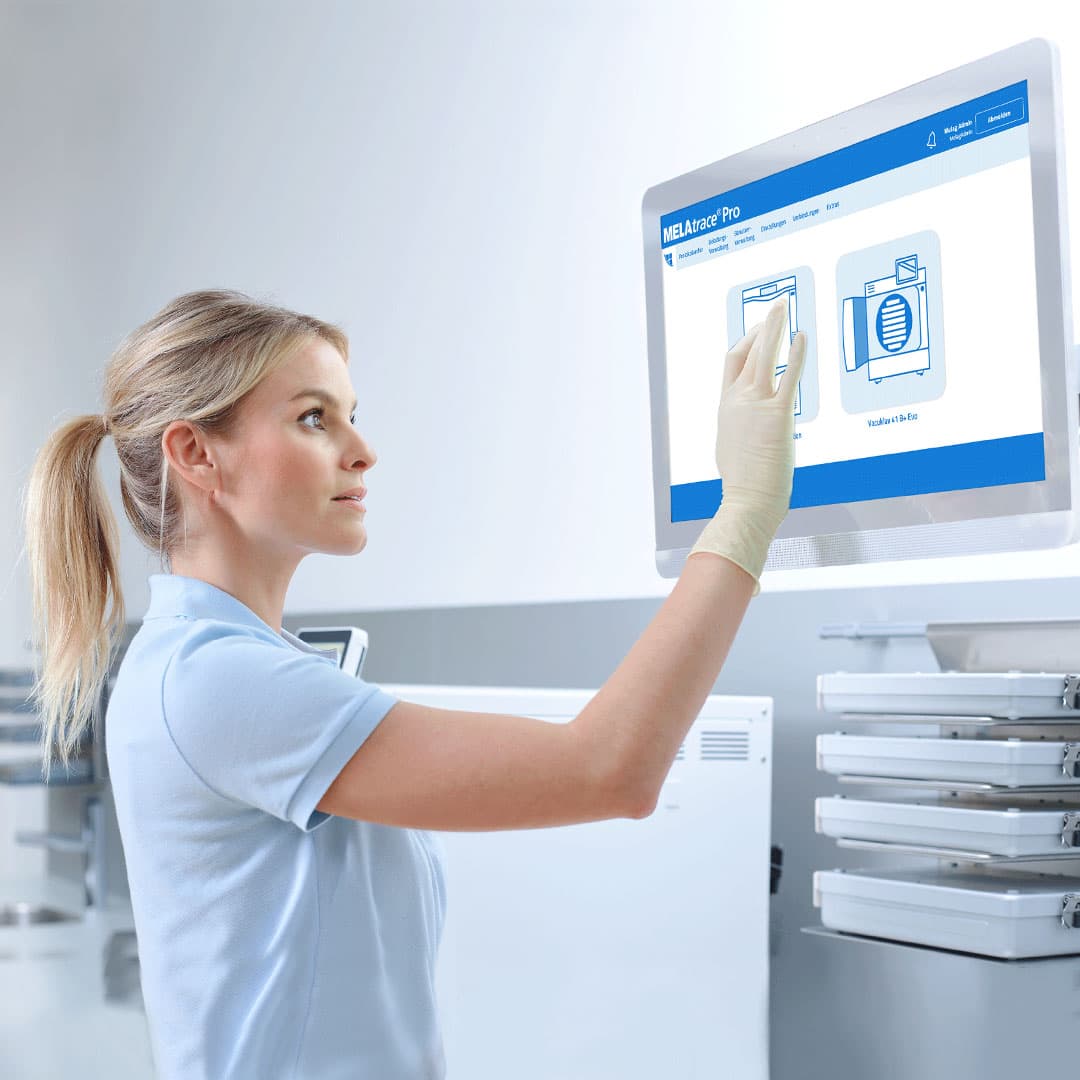
Learn how to use our software solutions for professional documentation and approval of the entire instrument decontamination.

Enable YouTube content

To play this video, please allow cookies and other external services from YouTube.

Tutorial #1

Documenting the washer-disinfector load

The intuitive documentation and approval software MELAtrace Pro combines the steps of cleaning and disinfection with sterilization. For maximum transparency, the loading of the washer-disinfector can be documented with individual elements or standard batches.

Tutorial #2

Approving the washer-disinfector batch

After successful cleaning and disinfection, the approval of the washer-disinfector batch is performed with MELAtrace Pro: You can check the program log with all relevant process parameters in order to approve the load elements properly.

Enable YouTube content

To play this video, please allow cookies and other external services from YouTube.

Tutorial #3

Documenting the steam sterilizer load

After the washer-disinfector batch has been approved, the steam sterilizer load will be documented. To link the process steps of cleaning and disinfection with sterilization, simply select the desired load elements from the previous washer-disinfector batch.

Enable YouTube content

To play this video, please allow cookies and other external services from YouTube.

Tutorial #4

Approving the steam sterilizer batch

The documentation process with MELAtrace Pro ends with the approval and marking of the sterilization batch. Evaluate the program log with all relevant process parameters as well as the colour change of the batch indicator. After batch approval, you will be forwarded to the decontamination report.

Enable YouTube content

To play this video, please allow cookies and other external services from YouTube.

Tutorial #5

Documenting the Careclave Load

The loading of Careclave can be documented with MELAtrace Pro for maximum transparency. The chamber concept offers you maximum flexibility: Careclave can be loaded either only with dental hollow-body instruments in the Carebox, only with instruments on trays or in sterile containers, or - as in our example - simultaneously with instruments in the Carebox and in the sterilization chamber.

Enable YouTube content

To play this video, please allow cookies and other external services from YouTube.

Tutorial #6

Approving the Careclave Batch

The documentation process for Careclave in conjunction with MELAtrace Pro ends with the approval of the batch. For this purpose, evaluate the program log with all relevant process parameters as well as the color change of the batch indicator.

Enable YouTube content

To play this video, please allow cookies and other external services from YouTube.

Tutorial #7

Defining load elements

MELAtrace Pro guarantees complete traceability of the entire instrument decontamination process. In this video tutorial, we will show you how to create, edit and delete load elements.

Enable YouTube content

To play this video, please allow cookies and other external services from YouTube.

Tutorial #8

Defining standard batches

Benefit from standard batches for an even more efficient loading process: In this video tutorial we will show you how to create, edit and delete standardized loading patterns.

Enable YouTube content

To play this video, please allow cookies and other external services from YouTube.

Tutorial #9

Defining sterilization containers

You can deploy sterilization containers in MELAtrace Pro for loading the steam sterilizer. In this video tutorial, we will show you how to create, edit and delete sterilization containers such as MELAstore- Boxes.

Enable YouTube content

To play this video, please allow cookies and other external services from YouTube.

Tutorial #10

Creating reasons

If you do not approve load elements in MELAtrace Pro, your decision can be documented with a reason. In this video tutorial, we will show you how to create, edit and delete reasons for the approval process.

Enable YouTube content

To play this video, please allow cookies and other external services from YouTube.

Tutorial #11

Adding user and practice information

The practice name and address are already pre-filled in MELAtrace Pro. In this video tutorial, we will show you how to add further practice information and create new user accounts for the documentation and approval process in MELAtrace Pro.

Enable YouTube content

To play this video, please allow cookies and other external services from YouTube.

Tutorial #12

Adapting the Options

Adapt MELAtrace Pro even better to your instrument decontamination workflow: In this video tutorial, we will show you how to make further settings in the documentation and approval software.

Enable YouTube content

To play this video, please allow cookies and other external services from YouTube.

Tutorial #13

Activating authentication and auto-logout

To ensure that only trained practice personnel performs the documentation and approval process, you have to log in with your user data before starting MELAtrace Pro. In this video tutorial, we will show you how to activate user authentication before the process steps and the auto-logout.

Enable YouTube content

To play this video, please allow cookies and other external services from YouTube.

Tutorial #14

Creating barcode lists

Barcode lists facilitate the loading of the washer-disinfector and steam sterilizer: In this video tutorial, we will show you how to create barcode lists for load elements, standard batches and sterilization containers.

Enable YouTube content

To play this video, please allow cookies and other external services from YouTube.

Tutorial #15

Archive and manage logs

With just a few clicks, you can use MELAtrace Pro to release the batches and archive the relevant program logs and batch approvals in a tamper-proof reprocessing log. In this tutorial, we will show you how you can subsequently manage or print the text, graphic and reprocessing logs in the log archive.

Enable YouTube content

To play this video, please allow cookies and other external services from YouTube.

Tutorial #16

Connecting devices

MELAtrace and MELAtrace Pro are software solutions for professional documentation and approval of the entire instrument decontamination with your MELAG devices. With the help of the software, you can have the logs of your devices automatically transferred via the practice network.

Enable YouTube content

To play this video, please allow cookies and other external services from YouTube.